Salesforce Financial Services Cloud Implementation Guide

Salesforce Financial Services Cloud guide

In 2026, financial institutions are at a crossroads. Client expectations are evolving rapidly, with personalized digital experiences becoming the norm. Yet despite the surge in digital touchpoints, 81% of banking clients still prefer having a human relationship manager to guide financial decisions.

According to Salesforce’s Connected Financial Services Report 2025, only 49% of customers say they are fully satisfied with their bank’s service. To close this gap, 84% of advisory firms are investing heavily in digital tools, and 92% of financial services executives consider the CRM system a board-level priority.

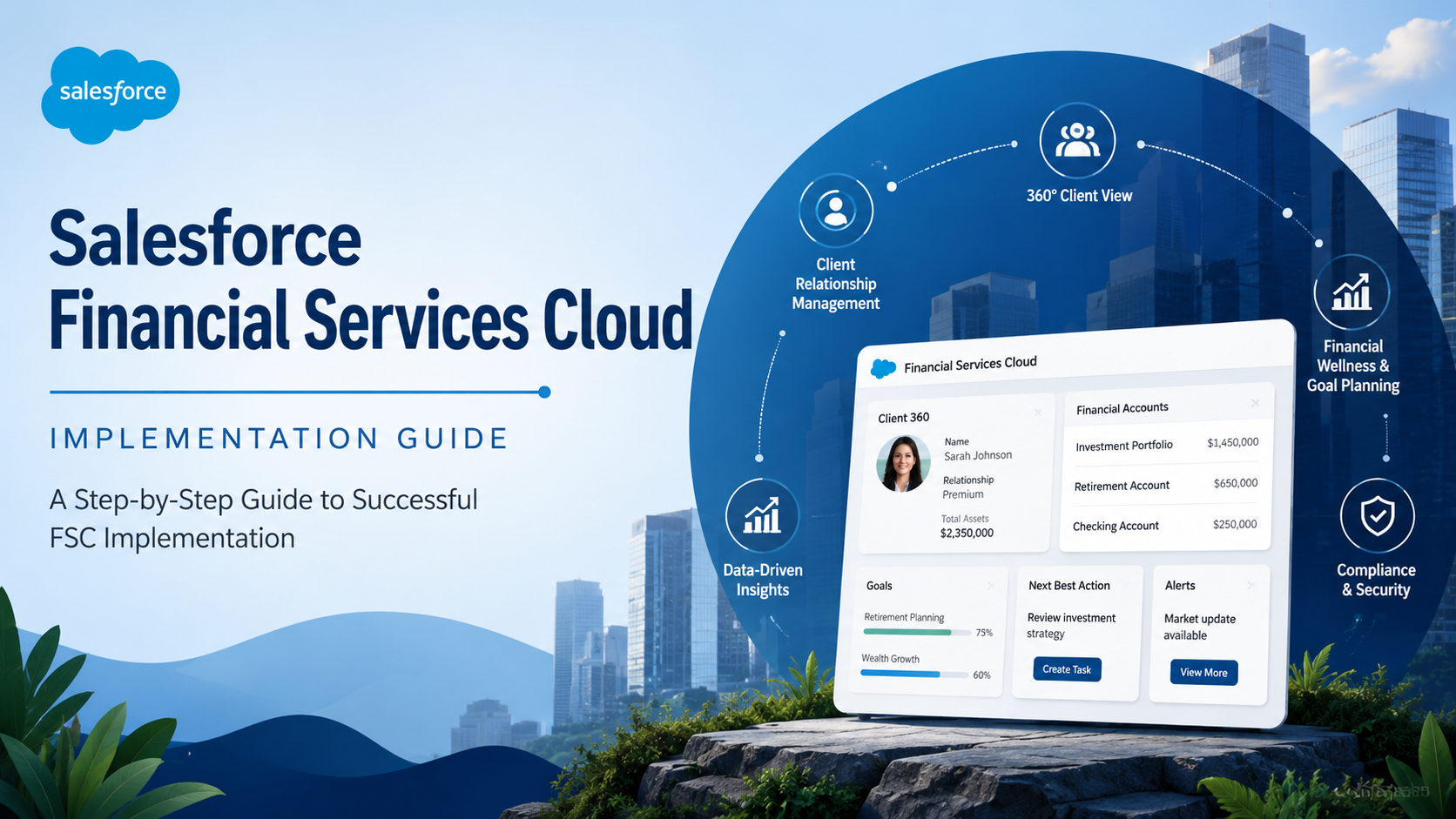
Salesforce Financial Services Cloud (FSC) leads this charge. Built specifically for banking, insurance, and wealth management, FSC unlocks customer data from siloed systems and presents it as a unified, 360-degree view of each client.

Why Salesforce Financial Services Cloud?

Most CRMs were never designed for the complexity of banks, insurers, or wealth managers. FSC is different because it is purpose-built for financial services with specialized features:

  • Client 360 View: View all financial accounts, goals, household members, and interaction history on one screen.
  • Actionable Relationship Center (ARC): Access visual relationship maps showing household structures, trustees, beneficiaries, and corporate hierarchies.
  • Householding: Group family members or business entities to track Assets Under Management (AUM), referrals, and cases at the household level.
  • Action Plans: Utilize reusable task templates for onboarding, KYC, annual reviews, and compliance workflows.
  • Built-in Compliance Tools: Leverage Shield encryption, audit trails, field history, and FINRA/GDPR-aligned security settings.

Step 1: Planning and Strategy

A successful FSC rollout begins with sharp planning. Industry studies suggest that 30 to 70% of CRM projects fail due to poor planning or lack of clear business alignment.

Define Your Goals with Measurable KPIs

Translate your intent into specific metrics before any configuration begins:

  • Wealth Management: Increase client retention by 15% by unifying relationship data.
  • Retail Banking: Reduce onboarding time by 30% using automated Action Plan checklists.
  • Insurance: Improve claims processing speed by 25% via automated case assignment.
  • Call Centers: Improve first-call resolution by 20% via unified customer profiles.

Strategic Rule: Keep major phases to 3 or 6 months for rapid wins and early ROI. Phases beyond 6 months lose executive momentum and increase the risk of scope creep.

Step 2: Solution Design and Architecture

FSC ships with a purpose-built financial data model. Map your existing data into these standard objects before any custom fields are created:

  • Person Accounts: For individual clients (auto-enabled in FSC).
  • Business Accounts and Contacts: For B2B clients and corporate hierarchies.
  • Households: To group families or business entities and roll up AUM and referrals.
  • Financial Accounts: To cover investments, loans, deposits, and policies.
  • Held-Away Assets: To track wealth held outside your institution for a complete client view.

Security and Compliance Architecture

Design your security layers using the following framework:

  • Identity and Access: Use Profiles and Permission Sets. FSC ships with role-based sets for Financial Advisors, Insurance Agents, and Personal Bankers.
  • Data Visibility: Use Sharing Rules and Role Hierarchies to control visibility by team, region, or branch.
  • Data Protection: Use Salesforce Shield Encryption to encrypt PII, account numbers, and SSNs at rest.
  • Audit and Compliance: Utilize Field History and Audit Trails as required for FINRA, GDPR, and regulatory audits.

Step 3: Configuration and Customization

Configure Salesforce FSC systematically by working from the Developer Sandbox to the Partial/Full Copy Sandbox for UAT, and finally to Production. The major FSC feature setup are the following:

  • ARC: Enable via Setup and customize relationship types to visualize household structures.
  • Action Plans: Create reusable templates for onboarding, KYC, loan processing, and annual reviews.
  • Householding: Enable groups and configure AUM and referral roll-ups.
  • Roll-Up Summaries: Configure these to show total assets and loan balances for household-level reporting.
  • Einstein Analytics: Deploy pre-built FSC templates to track organizational KPIs.

A Note of Caution: Use Apex only for complex validations, advanced roll-ups, or custom APIs. Over-customization creates technical debt and slows future Salesforce release upgrades.

Step 4: Data Migration and Integration

Financial data migration is one of the highest-risk phases. Clean data is essential for accurate quotes, reports, and compliance filings. Some of the major migration tooling recommendations are as follows:

  • Small Datasets (under 50K records): Use Salesforce Data Loader with a direct upsert and External ID strategy.
  • Medium Datasets (50K to 500K records): Use Data Loader combined with ETL scripts to normalize data before loading.
  • Enterprise Datasets (over 500K records): Use MuleSoft, Informatica, or Talend to manage incremental loads and full audit logging.
  • Critical Rule: Never migrate data into an unconfigured org. Set up the FSC data model and permission sets fully before beginning migration to avoid expensive rework.

Step 5: Testing and Quality Assurance

Testing must cover the full financial workflow. A bug in a billing rule or a broken Action Plan discovered post-launch is far more costly than one caught during testing.

  • Unit Testing: Test each Flow, Action Plan, and permission set. Aim for 90% or higher code coverage.
  • System Integration Testing (SIT): Verify end-to-end workflows, such as a loan request moving from the LOS to FSC.
  • User Acceptance Testing (UAT): Have real users run scripts for household creation, KYC, and goal setting to get stakeholder sign-off.
  • Performance Testing: Use tools like JMeter to ensure no degradation at scale when creating thousands of financial accounts.
  • Regression Testing: Re-run prior test cases after each configuration change to ensure zero regressions.

Step 6: Training and Change Management

The most common reason FSC implementations underperform is low user adoption. Financial professionals are often busy and deeply attached to existing workflows.

Role-Specific Training Tracks

  • Wealth Advisors: Focus on Client 360, ARC, Goals, and Held-Away Assets via hands-on sandbox sessions.
  • Retail Bankers: Focus on household management and onboarding flows using live walkthroughs.
  • Insurance Agents: Focus on policy management and renewal cases via myTrailhead modules.
  • Compliance Officers: Focus on Shield encryption and audit trails through specialized workshops.
  • Communication Cadence: Send countdown communications at 30, 15, and 5 days before go-live. Run live Q&A office hours in the first two weeks post-launch.

Step 7: Deployment and Post-Go-Live Optimization

Go-live is the beginning of a continuous improvement program. Use this checklist for a successful launch:

  • Complete final deployment via change sets or CI/CD pipeline tools.
  • Enable all integrations in production and validate real-time data sync.
  • Assign all licenses and permission sets to users.
  • Perform final data validation on record counts and household links.
  • Measure success against your baseline KPIs.

Typical Post-FSC Efficiency Gains

  • Client onboarding time: 35% faster.
  • Meeting prep time: 75% reduction.
  • Cross-sell ratio: Over 50% increase.
  • Compliance coverage: 100% coverage via automated Action Plans.

Security Features of Salesforce FSC

The most critical rule of Revenue Cloud is: Never migrate data into an unconfigured org.

  • Map your Legacy Data: Translate your old “Excel-based” quotes into the new Bundle and Option structure.
  • External IDs: Use unique identifiers from your legacy system to ensure you don’t create duplicate accounts or products.
  • Validate in Sandbox: Run a “UAT” (User Acceptance Testing) cycle where you take a migrated contract and try to “Amend” it. If the math fails, your migration logic is broken.

Conclusion

The most successful financial institutions in 2025 are those delivering hyper-personalized, trust-based client experiences. Salesforce Financial Services Cloud enables this by eliminating data silos and manual tracking.

By following these seven phases, you can ensure that every advisor and banker has a complete view of every client relationship, driving revenue and long-term trust.

FAQs About Revenue Cloud

How long does a Salesforce FSC implementation take?

Small implementations can complete in 8 to 12 weeks. Mid-market projects typically run 14 to 20 weeks, while enterprise deployments with complex integrations can take 24 to 36 weeks.

Can FSC be implemented without replacing the core banking system?

Yes. FSC integrates with core banking systems via real-time APIs to pull balance and transaction data into Salesforce.

What is the difference between Person Accounts and Business Accounts in FSC?

Person Accounts combine an Account and Contact into one record for individual retail or wealth clients. Business Accounts are used for B2B relationships and institutional accounts.

How does FSC handle household-level reporting?

The Householding feature groups individuals under a single Household record, allowing roll-up summaries to aggregate AUM, premiums, and cases at the group level.

Do you know we offer
FREE 30-minute Consultation?

If you have a project in mind, let’s talk!

Exit Pop Up