
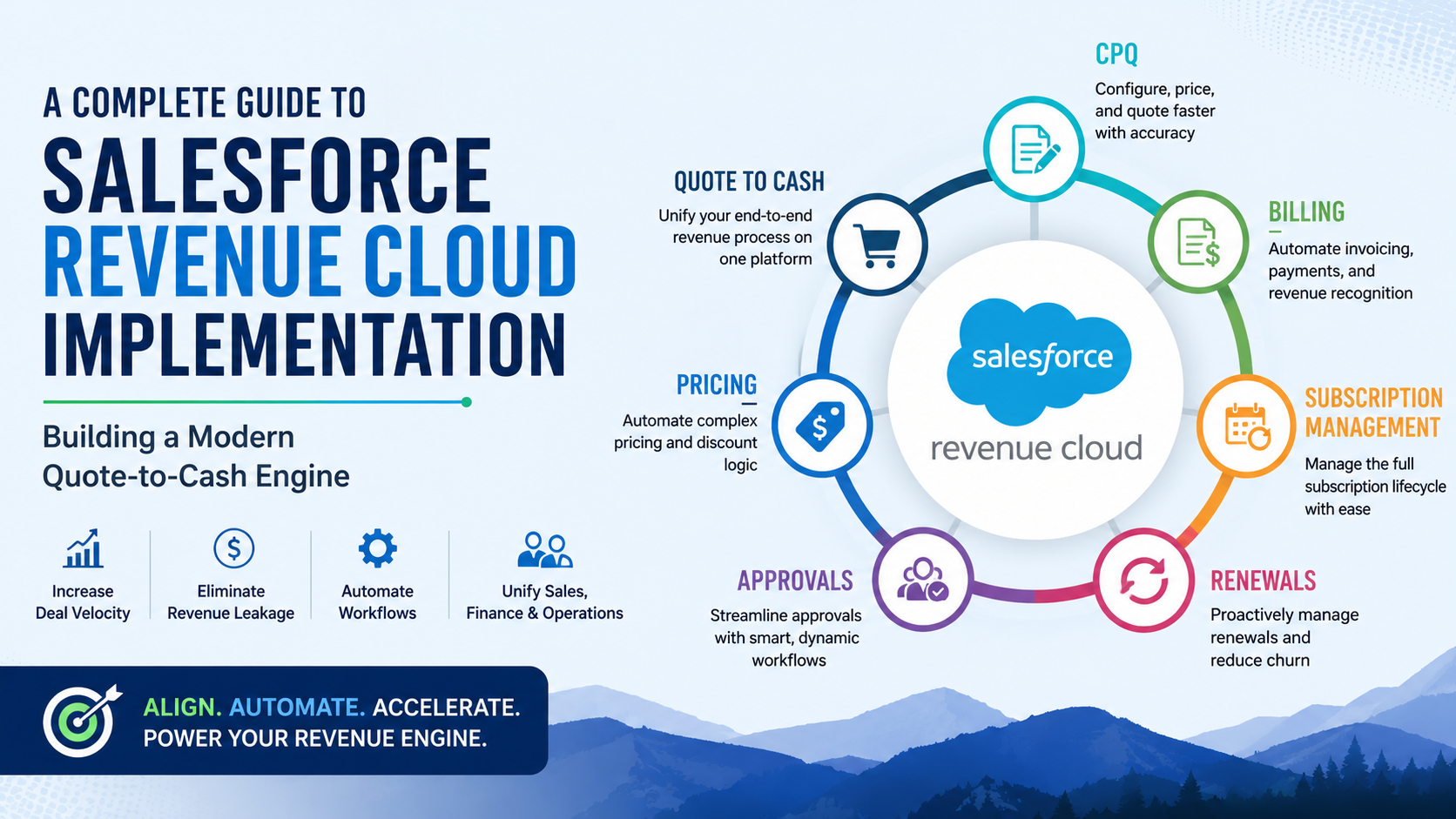
The gap between a “Closed-Won” opportunity and a collected payment is often a “no-man’s land” of manual spreadsheets, disconnected ERPs, and frantic email chains.
When pricing logic lives in a rep’s head rather than in the system, the result is inevitable: revenue leakage.
Enterprises are moving away from fragmented CRM setups and toward Salesforce Revenue Cloud. It is not just a software upgrade; it is a strategic unification of CPQ (Configure, Price, Quote), Billing, and Subscription Management.
To succeed, you must stop thinking like a Salesforce Administrator and start thinking like a Revenue Architect.
This guide breaks down the implementation into seven actionable phases to help you eliminate manual handoffs and build a scalable revenue operation.
Most organizations suffer from “The Silo Effect.” Sales teams use Salesforce to track deals, but finance teams use a separate ERP to send invoices. In between, there is a manual process of “re-keying” data which is a process where human error emerges.
Salesforce Revenue Cloud bridges this gap by creating a Single Source of Truth. By designing your pricing logic once and enforcing it across quotes, contracts, and invoices, you ensure that what was promised in the sales cycle is exactly what is delivered and billed.
Before opening a Sandbox, you must audit the “Why” behind your pricing. A standard implementation fails when it simply digitizes bad habits. A Revenue Architect asks:
The foundation of Revenue Cloud is the CPQ package. A common mistake is rushing the installation without verifying the underlying data health.
Your first step is the “Schema Audit.” Revenue Cloud relies heavily on the relationships between Product2, PricebookEntry, and QuoteLine. Ensure your Price Books are organized by currency or region before you begin configuration.
Decisions made in the CPQ Package Settings are foundational. For instance, choosing between “Service Cloud Integration” or standard “Contracting” methods will dictate how your renewals are generated for the next five years.
Focus on setting a consistent Subscription Term Unit (usually Monthly or Yearly) to ensure the engine calculates pro-ration accurately.
Your product catalog is the “DNA” of your revenue engine. If the DNA is flawed, every quote and invoice will be mutated.
In Revenue Cloud, you don’t just list products; you build Bundles. Bundles use “Product Options” and “Features” to create guided pathways. It prevents sales reps from selling incompatible products such as a high-tier software license without the required “Implementation Premium” service.
You must categorize products by their “Revenue Type”:
The goal of a world-class Revenue Cloud setup is Zero-Manual Pricing. A sales rep should never “type” a price; they should “select” conditions that generate the price.
Use Price Rules and Summary Variables to handle complex math. For example, if a customer buys more than 500 units, the system should automatically trigger a “Volume Discount” that reduces the unit price across all lines.
Instead of hard-coding prices into rules, use Lookup Queries. It allows you to store pricing data in a separate table. When the business decides to have a “Summer Promotion,” you simply update a record in the table rather than rewriting the automation logic.
A complex product catalog can paralyze a sales team. Guided Selling acts as a GPS for your reps, leading them to the right products through a series of discovery questions.
The QLE is where your reps spend their lives. Optimize this interface by removing irrelevant fields. Use Configuration Attributes to allow reps to set global variables (like “Start Date” or “Region”) that apply to every product in a bundle simultaneously. This reduces “click fatigue” and speeds up the deal cycle.
Manual approval chains are where momentum goes to die. Standard Salesforce approvals are often too rigid for the dynamic nature of enterprise deals.
Unlike standard workflows, Advanced Approvals allow for “Smart Resubmission.” If a VP has already approved a 25% discount and the rep changes a shipping address, the VP shouldn’t have to approve the deal again.
Configure your system so that Finance, Legal, and Sales Leadership can review a quote simultaneously rather than sequentially. It reduces “approval lag” and ensures that high-value deals aren’t sitting in someone’s inbox for three days.
Phase 6 is the bridge between Sales and Finance. When a quote is signed, the “Transactional Handshake” must be seamless.
Use Salesforce Flows to trigger Order Generation the moment a Quote is marked “Ordered.” It should automatically create Subscription Records for recurring items.
One of the highest ROI features of Revenue Cloud is Automated Renewals. The system can be configured to “look ahead” and automatically create a Renewal Opportunity and Quote 90 days before a contract expires. It ensures your “Customer Success” team is proactive, not reactive.
For organizations completing the journey with Salesforce Billing, this is where CPQ data is converted into financial records.
You must define how the system “recognizes” money. Following ASC 606 standards, you can configure Revenue Recognition Rules that spread revenue over the life of a service or recognize it all at the point of hardware delivery.
Ensure your “Tax Rules” (integrating with tools like Avalara) and “Payment Gateways” (like Stripe) are fully synced. A mismatch in rounding logic between your Quote and your Invoice can lead to legal and financial reconciliation nightmares.
The most critical rule of Revenue Cloud is: Never migrate data into an unconfigured org.
Implementing Salesforce Revenue Cloud is an evolution, not a one-time event. By following these seven phases, you move away from being a “Support Function” and become a “Growth Engine.”
The ultimate success metric is not just that the software works, it’s that your Deal Velocity has increased, your Revenue Leakage has stopped, and your Finance Team can finally close the month-end books in days rather than weeks.

Cloudespacio is a trusted Salesforce implementation partner headquartered in India, helping businesses transform sales, service, manufacturing, automotive, and customer operations with Salesforce.
Copyright © 2026 Cloudespacio Software Pvt. Ltd. All Rights Reserved.
